
Fulext Sleep Headphones Manual: A Comprehensive Guide

Welcome! This manual provides detailed instructions for your Fulext Sleep Headphones, a versatile 3-in-1 device perfect for sleep, sports, and enjoying music comfortably.
Fulext Sleep Headphones represent a revolutionary approach to audio enjoyment, seamlessly blending comfort, functionality, and versatility. These innovative headphones aren’t just for sleep; they’re designed as a 3-in-1 solution, functioning equally well as wireless headphones for daily use and a sports headband during workouts.
Featuring ultra-thin speakers and a thoughtfully designed headband, Fulext headphones prioritize comfort, especially for side sleepers, eliminating uncomfortable ear pressure. They’re perfect for those seeking a discreet way to listen to music, podcasts, or audiobooks while relaxing, exercising, or drifting off to sleep. Enjoy clear call handling with the built-in microphone!
What’s Included in the Box
Upon opening your Fulext Sleep Headphones package, you’ll find a complete set of components designed for immediate use and long-term enjoyment. The box contains the Fulext Sleep Headband itself, featuring integrated, ultra-thin speakers and a central control module.
Additionally, you’ll receive a Micro-USB charging cable for powering up your headphones. A small wrench is included to aid in disassembly for cleaning and maintenance purposes. Please retain all packaging and components for potential future use or warranty claims. Verify all items are present before proceeding.
Key Features and Benefits
Fulext Sleep Headphones boast a remarkable 3-in-1 design, functioning seamlessly as sleep headphones, wireless headphones, and a comfortable sports headband. Enjoy music while managing hair and sweat during workouts, running, or yoga. The ultra-thin 0.25-inch speakers ensure comfort, especially for side sleepers, eliminating ear pressure.
Benefit from built-in noise reduction thanks to the snug headband fit, enhancing focus and peaceful sleep. Integrated controls offer convenient music, volume, and call management. Experience versatile functionality and superior comfort with these innovative headphones.
3-in-1 Versatility: Sleep, Sport, and Music
Fulext Sleep Headphones truly excel in versatility, seamlessly transitioning between three core functions. Enjoy peaceful sleep while listening to calming sounds, stay motivated during workouts like running and yoga, or simply immerse yourself in your favorite music. This headband design eliminates the need for traditional headphones, managing hair and sweat effectively.
Perfect for multiple activities, these headphones stay securely in place, delivering consistent sound quality. The integrated design provides a comfortable and convenient audio experience, adapting to your lifestyle effortlessly.
Comfortable and Secure Fit
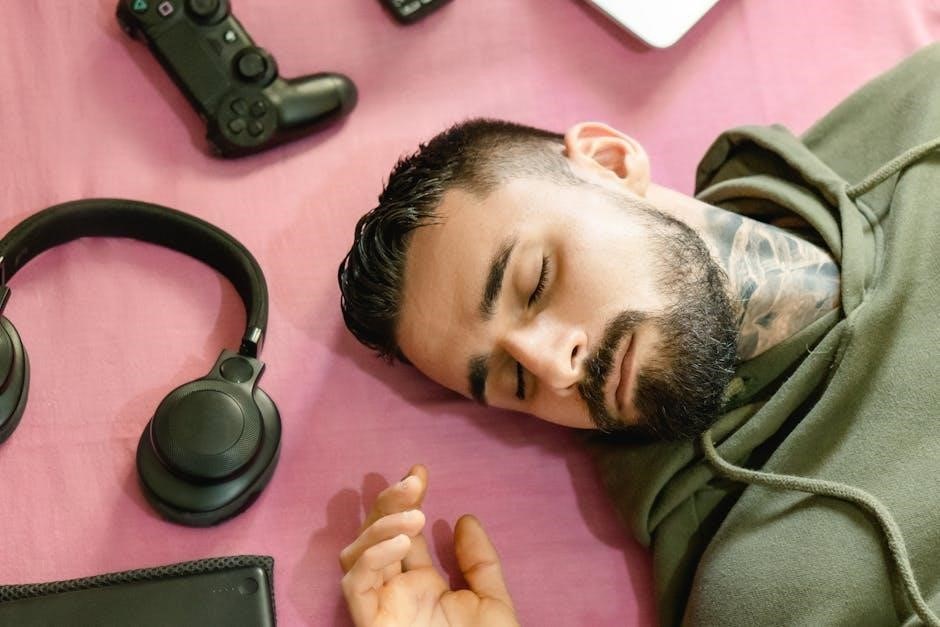
Fulext Sleep Headphones prioritize your comfort with an exceptionally designed fit. Featuring ultra-thin, 0.25-inch speakers, the headband minimizes pressure, especially beneficial for side sleepers. The strategic placement of the control module in the middle further enhances comfort during rest.
The snug fit isn’t just about comfort; it also provides a degree of noise isolation, allowing you to focus on your audio or enjoy undisturbed sleep. This secure design ensures the headphones remain in place during various activities, including vigorous workouts and runs.

Getting Started: Pairing and Connecting
Before first use, ensure your Fulext Sleep Headphones are fully charged. To initiate pairing, simply activate Bluetooth on your smartphone or device. Then, power on the headphones – they will automatically enter pairing mode, ready to connect. The headphones are compatible with a wide range of Bluetooth-enabled devices.
Once discovered, select “Fulext Sleep Headphones” from your device’s Bluetooth list to establish a connection. A successful connection is usually indicated by an audible tone or a visual confirmation on your device. Enjoy seamless audio streaming!
Bluetooth Pairing Instructions
To pair your Fulext Sleep Headphones, first ensure Bluetooth is enabled on your smartphone or tablet. Press and hold the power button on the headphone control module until the LED indicator flashes blue and red, signifying pairing mode. On your device, scan for available Bluetooth devices.
Select “Fulext Sleep Headphones” from the list. If prompted, enter the pairing code “0000”. Once connected, the LED will turn solid blue. Subsequent connections will happen automatically when both devices have Bluetooth enabled and are within range.
Connecting to Different Devices
Your Fulext Sleep Headphones seamlessly connect to a variety of Bluetooth-enabled devices. Beyond smartphones and tablets, they pair with laptops, MP3 players, and other compatible devices. To connect a new device, first disconnect from any currently paired devices. Then, follow the Bluetooth pairing instructions detailed previously.
Ensure the headphones are in pairing mode (flashing blue and red LED). The headphones can remember multiple paired devices, automatically reconnecting when in range. If connection issues arise, verify Bluetooth is enabled on both devices and that no interference is present.
Using the Controls
Fulext Sleep Headphones feature intuitive, integrated controls for effortless operation. Located on the headband module, these controls allow you to manage your listening experience without needing to access your paired device. Easily power the headphones on or off, adjust the volume to your preferred level, and navigate through your music tracks.
The built-in microphone enables hands-free call management, allowing you to answer or end calls directly from the headband. Familiarize yourself with the button layout for optimal control and convenience during various activities.
Power On/Off
To power on your Fulext Sleep Headphones, press and hold the power button – typically marked with a power symbol – for approximately three seconds. You’ll hear an audible tone or see a visual indicator confirming activation. To power off, repeat this process; press and hold the power button for three seconds until you hear a confirmation tone or the indicator light turns off.
Ensure the headphones are fully charged for optimal performance. A low battery may cause intermittent connection issues or reduced sound quality. Regular use will extend the lifespan of your device.
Volume Control
Adjusting the volume on your Fulext Sleep Headphones is simple. Locate the volume control buttons – usually marked with “+” and “-” symbols – on the control module. Press the “+” button to increase the volume and the “-” button to decrease it.
Each press will typically adjust the volume incrementally. Be mindful of your listening volume to protect your hearing. Avoid excessively loud volumes, especially during extended use. Integrated buttons allow convenient control without reaching for your device.

Track Selection
Navigating your music with the Fulext Sleep Headphones is straightforward. Utilize the multi-function button – often the same button used for power and calls – to control track selection. A single press typically pauses or plays the current track.
To skip to the next track, press and hold the multi-function button for a brief moment. To return to the previous track, double-press the button. Ensure your connected device supports track control via Bluetooth for optimal functionality. Integrated buttons offer convenient control.
Call Management with Built-in Microphone
Stay connected with the Fulext Sleep Headphones’ integrated microphone! To answer an incoming call, simply press the multi-function button once. To end a call, press the button again. If you prefer to reject a call, press and hold the button for a couple of seconds.
The built-in microphone ensures clear call handling, allowing for hands-free conversations during workouts or while relaxing. Enjoy seamless transitions between music and calls without needing to remove the comfortable headband.
Care and Maintenance

To ensure longevity and optimal performance of your Fulext Sleep Headphones, regular care is essential. Periodically disassemble the unit for thorough cleaning. Carefully remove the Bluetooth module and detach the red and black plugs from the cord – a small wrench aids this process.
Hand wash the headband with a mild detergent and lukewarm water. Avoid harsh chemicals or abrasive cleaners; Ensure all components are completely dry before reassembly. Proper storage in a cool, dry place will also extend the lifespan of your headphones.
Disassembly for Cleaning
Maintaining hygiene is crucial with sleep headphones. Begin disassembly by gently removing the central Bluetooth module from the headband. Locate the two plugs – typically red and black – connecting the module to the cord. Utilize the provided small wrench to carefully extract these plugs, separating the module.
If the wrench is misplaced, exercise extreme caution to avoid damaging the connections. Disassembly allows for focused cleaning of both the headband fabric and the module itself, ensuring a fresh and comfortable experience.
Cleaning Instructions for the Headband
To clean the headband, gently hand wash it with a mild detergent and cool water. Avoid harsh chemicals or bleach, as these can damage the fabric and potentially the embedded speakers. After washing, rinse thoroughly to remove all soap residue.
Air dry the headband completely before reassembling it with the Bluetooth module. Do not use a dryer, as heat can cause shrinkage or damage. Regular cleaning ensures a comfortable and hygienic sleep experience, prolonging the life of your Fulext headphones.
Storage Recommendations
For optimal longevity, store your Fulext Sleep Headphones in a cool, dry place away from direct sunlight and extreme temperatures. Avoid storing the headband while it’s still damp, ensuring it’s completely dry before putting it away.
When not in use, consider storing the headphones in a protective pouch or case to prevent dust accumulation and potential damage. Disassembling the Bluetooth module and storing it separately can also help protect the sensitive electronics. Proper storage maintains performance and extends the lifespan of your device.
Troubleshooting Common Issues
Experiencing difficulties? This section addresses frequent problems. For Bluetooth connection issues, ensure the headphones are charged and in pairing mode, then re-scan on your device. Poor sound quality often stems from low volume or a weak Bluetooth signal – try adjusting settings and moving closer to your device.
If the headphones won’t power on, charge them for at least 30 minutes. If problems persist, consult the FAQ or contact customer support. Disassembly for cleaning, if done incorrectly, can also cause issues.
Bluetooth Connection Problems

Difficulty pairing? First, confirm Bluetooth is enabled on your device. Ensure the Fulext headphones are in pairing mode – typically indicated by a flashing light. If still unsuccessful, “forget” or remove the headphones from your device’s Bluetooth list and re-scan. Interference from other devices can also disrupt the connection; move away from potential sources.
Check compatibility with your device. Restarting both the headphones and your device often resolves connection glitches. A weak signal can cause dropouts; stay within range.
Sound Quality Issues

Experiencing muffled or distorted audio? Verify the volume levels on both your Fulext headphones and the connected device. Ensure a stable Bluetooth connection, as interruptions can affect sound. Check the audio source; a low-quality file will naturally sound poor. The snug fit is crucial – adjust the headband for optimal speaker positioning against your ears.
Clean the speakers gently to remove any obstructions. Try a different audio source to isolate the problem. If issues persist, reset the headphones to factory settings (consult the manual for instructions).

Power Issues
Headphones won’t turn on? First, confirm sufficient charge by connecting to a power source using the provided charging cable. Allow ample charging time – a full charge may take several hours. If charging doesn’t resolve the issue, try a different USB cable and adapter. A flashing light usually indicates charging; no light may signal a deeper problem.
Unexpected shutdowns? Ensure the headphones aren’t exposed to extreme temperatures. Battery life diminishes over time; consider this if the issue is gradual. Contact customer support if problems persist despite troubleshooting.
Safety Precautions
Important safety guidelines for Fulext Sleep Headphones: Avoid using at excessively high volumes for prolonged periods to prevent potential hearing damage. Do not disassemble the device beyond the cleaning instructions provided in this manual, as this voids the warranty and poses safety risks.
Keep the headphones away from water and extreme temperatures. Do not use while operating machinery or driving. If you experience discomfort or irritation, discontinue use immediately. This product is not intended for children. Always follow these precautions for safe and enjoyable use.
Technical Specifications
Fulext Sleep Headphones – Detailed Specifications: Battery life offers approximately 8-10 hours of playtime on a full charge, with a charging time of around 2-3 hours via USB. The headphones utilize Bluetooth version 5.0 for a stable and efficient wireless connection.
Speaker dimensions are ultra-thin, measuring 0.25 inches in diameter, ensuring comfort during sleep. The headband is crafted from breathable, soft materials. These specifications contribute to the device’s versatility and user-friendly experience.
Battery Life and Charging Time
Powering Your Fulext Headphones: Expect approximately 8 to 10 hours of continuous playtime on a single full charge, allowing for uninterrupted sleep or workouts. A full recharge typically takes between 2 to 3 hours using the provided USB charging cable.
The battery performance may vary based on volume levels and Bluetooth usage. It’s recommended to fully charge the headphones before initial use and avoid prolonged exposure to extreme temperatures for optimal battery longevity. Consistent charging habits will maximize performance.
Bluetooth Version
Connectivity Details: Your Fulext Sleep Headphones utilize Bluetooth 5.0 technology, ensuring a stable and efficient wireless connection with your devices. This version offers an extended range of up to 33 feet (10 meters) in open spaces, minimizing dropouts during use.
Bluetooth 5.0 also provides improved energy efficiency, contributing to longer battery life. Compatibility extends to a wide range of Bluetooth-enabled smartphones, tablets, and laptops. For optimal performance, ensure your device’s Bluetooth is enabled and updated.
Speaker Dimensions
Compact Audio: The Fulext Sleep Headphones feature ultra-thin speakers, meticulously designed for comfort during extended wear, especially while sleeping. Each speaker measures approximately 0.25 inches (6.35 millimeters) in thickness. This slim profile ensures minimal pressure on the ears, even for side sleepers.
Despite their small size, these speakers deliver surprisingly clear and balanced audio. They are strategically positioned within the headband to provide immersive sound without compromising on comfort or fit. The compact design contributes to the headband’s overall lightweight feel.
Frequently Asked Questions (FAQ)
Q: Can I wash the headband? Yes, carefully remove the Bluetooth module before hand-washing the headband with mild detergent. Ensure it’s completely dry before reassembling. Q: What if the headphones won’t pair? Restart Bluetooth on your device and try pairing again. Ensure the headphones are charged. Q: Are these good for side sleepers? Absolutely! The flat speaker design minimizes ear pressure. Q: Can I answer calls? Yes, a built-in microphone enables call management. Q: What activities are these suitable for? Gym, running, yoga, and sleep!
Warranty Information
Fulext Sleep Headphones are covered by a one-year limited warranty against manufacturing defects. This warranty begins on the original purchase date. It covers defects in materials and workmanship under normal use. Damage caused by misuse, accidents, or unauthorized modifications is not covered. To initiate a warranty claim, please contact our customer support team with proof of purchase. We will, at our discretion, repair or replace the defective product. This warranty gives you specific legal rights, and you may have other rights.
Customer Support Contact Information
For assistance with your Fulext Sleep Headphones, our dedicated support team is ready to help! You can reach us via email at support@fulext.com. Alternatively, please visit our website www.fulext.com/support for frequently asked questions and troubleshooting guides. Our operating hours are Monday to Friday, 9 AM to 5 PM PST. We strive to respond to all inquiries within 24-48 hours. Please have your order number and a detailed description of the issue ready when contacting us for faster assistance.